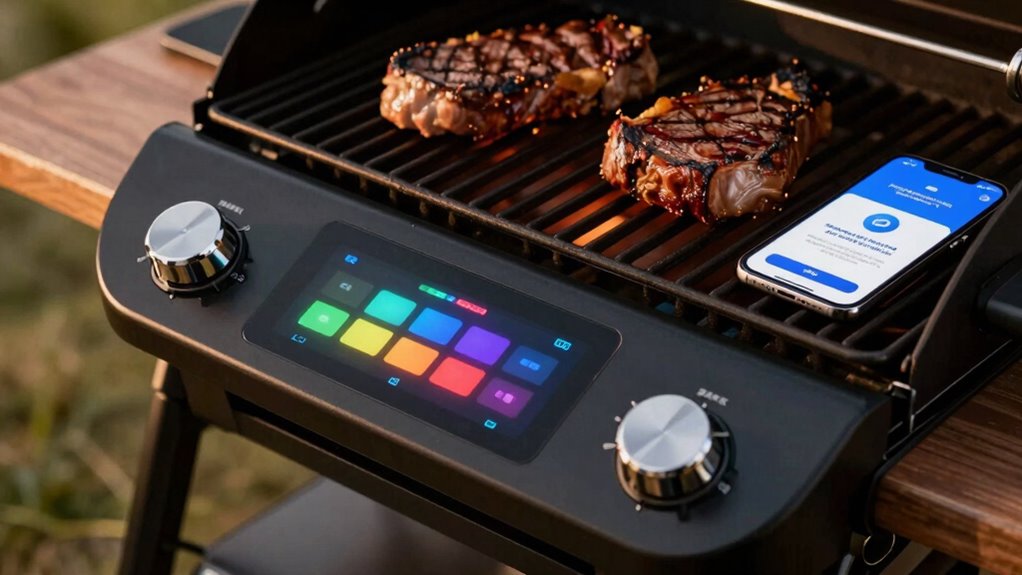

If your smart grill app disconnects mid-cook, it’s likely caused by interference from nearby devices, weak Wi-Fi signals, or outdated software. Obstacles like walls or metal objects can weaken the connection, while high network traffic or congestion can cause drops. Outdated app or firmware versions may also have bugs that disrupt stability. Ensuring your device is close to the router, updating software regularly, and minimizing interference can help. Keep going to learn more tips for a seamless grilling experience.
Key Takeaways
- Wireless interference from nearby devices or obstacles weakens signal stability during grilling sessions.
- Outdated app or firmware versions may contain bugs causing unexpected disconnections.
- Weak or unstable Wi-Fi networks can disrupt app connectivity mid-cook.
- Poor device placement or obstructions reduce signal strength, leading to disconnections.
- Software bugs or incompatible device updates can cause the app to disconnect unexpectedly.
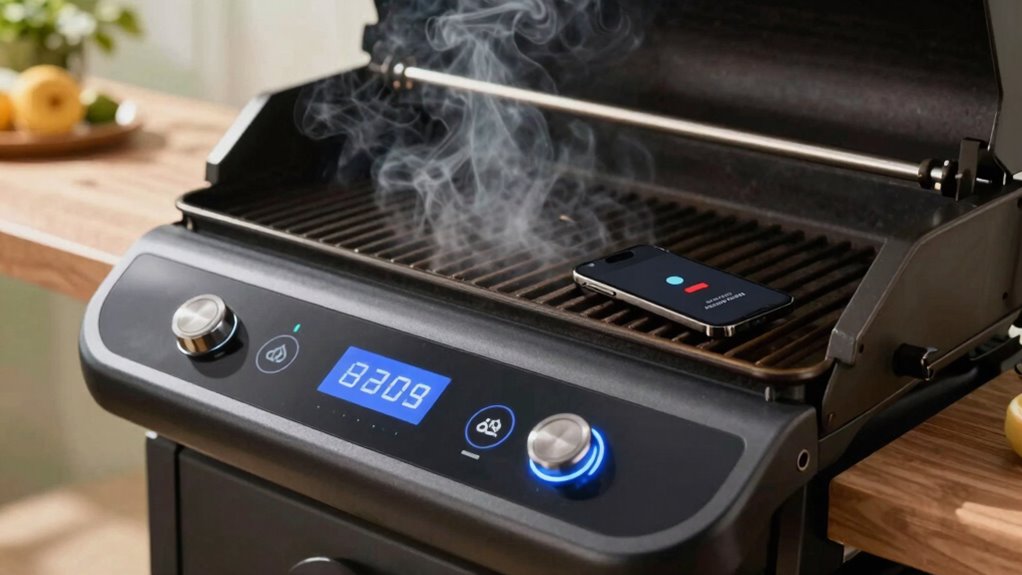
Smart grill apps have become popular for their convenience, allowing you to monitor and control your grill remotely. You can check the temperature, adjust settings, and even receive alerts without leaving your seat. But sometimes, during a cook, your app suddenly disconnects, leaving you frustrated and unsure of what’s happening. Several factors can cause this, and understanding them helps you troubleshoot more effectively.
One common reason is wireless interference. Your grill relies on Wi-Fi or Bluetooth signals to stay connected to your device. If there are other devices nearby, like cordless phones, baby monitors, or even neighboring Wi-Fi networks, these can create interference. This disruption weakens the signal, causing the app to lose connection mid-cook. Thick walls, metal appliances, or large structures between your phone and the grill can also impair signal strength. To reduce this, make sure your grill and device are within a good range, free from obstacles, and away from other electronic devices that might interfere. Ensuring a strong wireless signal is essential for maintaining a stable connection. Additionally, placing your router closer to your grilling area can significantly improve the device connectivity. Regularly monitoring your network performance can help identify issues before they cause disconnections.
Wireless interference from nearby devices or obstacles can weaken signals, causing your smart grill app to disconnect during cooking.
Another frequent issue is app update problems. Sometimes, the app or the grill’s firmware needs an update to function properly. If you haven’t updated your app recently, bugs or compatibility issues might cause disconnections. Conversely, an incomplete or corrupted update can introduce new problems, including connection drops. Always ensure both your app and grill firmware are current, and update them from trusted sources. After updating, restart your device and the grill to establish a fresh connection.
Additionally, Wi-Fi network issues can cause disruptions. If your home network is experiencing high traffic, weak signals, or frequent drops, your app may disconnect from the grill. Check your internet connection’s stability; sometimes, simply restarting your router or switching to a less congested network can improve connectivity. Using a 2.4GHz band rather than 5GHz can also help, as many smart devices operate more reliably on the former. It’s also important to consider wireless interference that could be affecting your network’s performance.
Finally, software bugs or glitches in the app itself can lead to disconnects. Developers continually release updates to fix these issues, so staying current with the latest version is essential. If disconnects persist, uninstalling and reinstalling the app might resolve lingering bugs. Also, ensure your device’s operating system is up to date, as outdated software can conflict with app functions.
In short, wireless interference, outdated software, and network instability are common culprits behind your smart grill app disconnecting mid-cook. By keeping your firmware and app updated, minimizing interference, and maintaining a strong, stable Wi-Fi connection, you can enjoy a seamless grilling experience from start to finish.
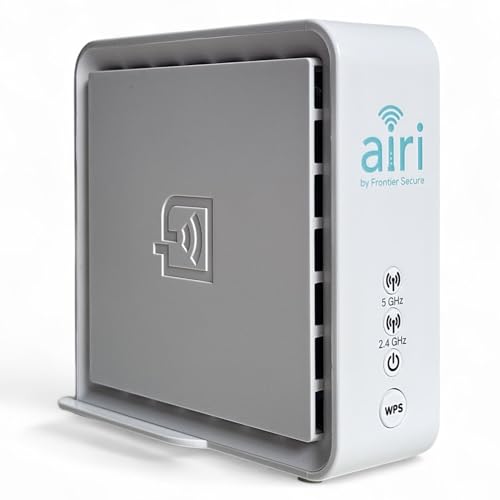
Smart Mesh WiFi Extender – Frontier Secure Air 4920 – Dual Band WiFi Booster with Ethernet Ports | 802.11ac WiFi 5 Mesh Extender for Whole Home Coverage, Easy WPS Setup
- Coverage Boost: Eliminates Wi-Fi dead zones
- Smart Mesh Technology: Seamless connectivity and roaming
- Dual-Band WiFi 5: Fast, reliable 2.4GHz and 5GHz speeds
As an affiliate, we earn on qualifying purchases.
As an affiliate, we earn on qualifying purchases.
Frequently Asked Questions
Can I Reconnect My Smart Grill App After Disconnection?
Yes, you can reconnect your smart grill app after disconnection. First, try Bluetooth troubleshooting by turning Bluetooth off and on again. Then, follow the app reset procedures, like restarting your device or reinstalling the app if needed. Make sure your grill is within range and powered on. These steps usually resolve connection issues, allowing you to resume your cook seamlessly.
Does Wi-Fi Interference Cause App Disconnects?
Wireless interference can indeed cause your smart grill app to disconnect. When signals from other devices interfere with your Wi-Fi or Bluetooth, it disrupts the Bluetooth pairing or Wi-Fi connection, leading to temporary disconnects. To keep your cooking smooth, make sure your grill is close to your router or device, and minimize nearby electronic clutter. This way, your app stays connected, and your grilling experience remains seamless and enjoyable.
How Often Do App Disconnect Issues Occur?
App disconnect issues happen occasionally, especially during grilling automation when Bluetooth interference disrupts the connection. You might notice these issues more often if there’s thick walls or other devices causing Bluetooth signal interference. While minor, these disconnects can interrupt your cooking process. To minimize them, reduce Bluetooth interference by keeping your device close to the grill and avoiding crowded wireless environments. Regular updates can also improve connection stability.
Are Firmware Updates Linked to Connectivity Problems?
Firmware updates can sometimes cause connectivity problems if they’re not compatible with your grill’s existing firmware or device. Incompatibility issues with firmware compatibility may lead to disconnections during cooking. Additionally, some updates tighten app security, which might restrict certain connections or features, causing app disconnects. To avoid these problems, guarantee your firmware is up-to-date and compatible, and keep your app security settings balanced for seamless connectivity.
Can I Use the App Without an Internet Connection?
You can use the app without an internet connection, like tuning a radio to a local station. Just make certain your Bluetooth pairing is active and the app has the necessary permissions. I once struggled during a cook, but once I checked permissions and kept Bluetooth connected, the grill responded flawlessly. Remember, without internet, the app relies on Bluetooth, so keep it paired and permissions granted for uninterrupted grilling.

ThermoMaven Sub-1G Smart Wireless Meat Thermometer with Standalone Base
- Smart Display with Control: Real-time readings and temperature setting
- Easy One-Click Setup: Connect probe and pair quickly
- Long-Range Sub-1G Connectivity: Up to 3000 ft unobstructed
As an affiliate, we earn on qualifying purchases.
As an affiliate, we earn on qualifying purchases.
Conclusion
In the end, staying connected with your smart grill isn’t always a smooth ride. The tech can act up just when you’re most enthusiastic to impress. Remember, sometimes you have to roll with the punches and troubleshoot the issues instead of throwing in the towel. Keep your apps updated, check your Wi-Fi, and don’t be afraid to seek out support. After all, you don’t want to let a little glitch spoil your big barbecue moment.

TP-Link AX1800 WiFi 6 Router (Archer AX21 V5)
- Dual-Band WiFi 6 Router: Faster speeds and reduced congestion
- AX1800 Speed: Up to 1.8 Gbps total bandwidth
- Connect More Devices: Supports multiple devices simultaneously
As an affiliate, we earn on qualifying purchases.
As an affiliate, we earn on qualifying purchases.
As an affiliate, we earn on qualifying purchases.