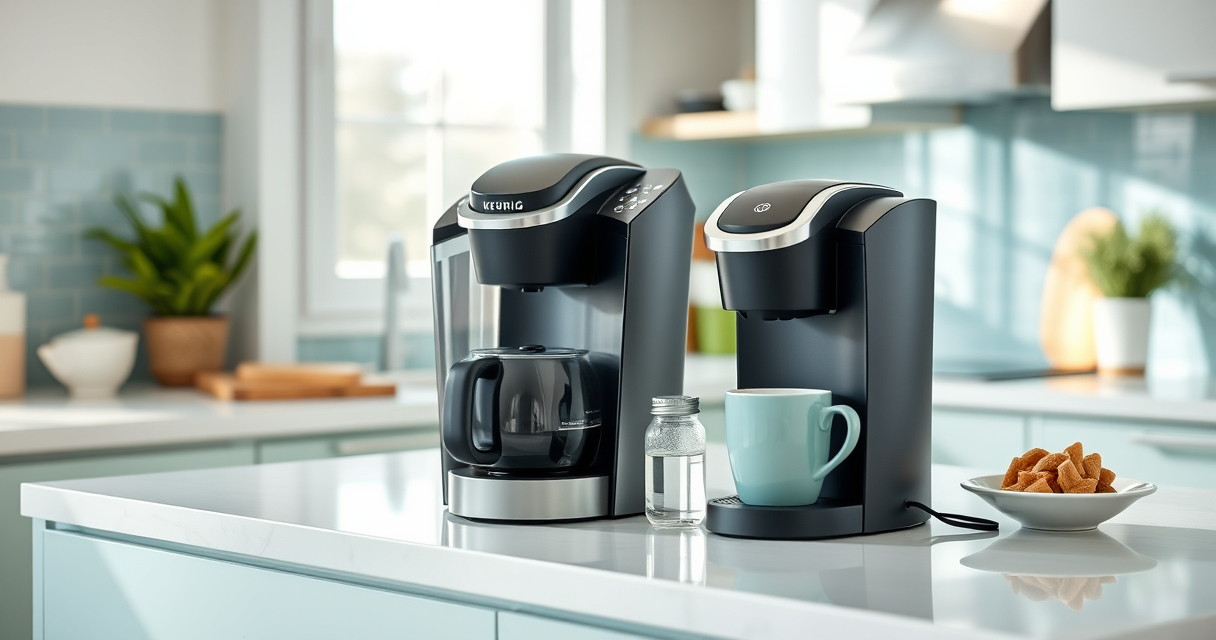

If your Keurig K-Mini (ASIN: B07GV2S1GS) isn’t turning on, it can be frustrating, especially when you need your morning coffee. Most issues are simple to fix with some basic troubleshooting steps. This guide will walk you through the common causes and safe, effective solutions to restore your coffee maker’s functionality.
Before attempting any fixes, ensure your device is plugged in properly and the outlet is functioning. If the problem persists, follow these step-by-step instructions to diagnose and resolve the issue safely.
Key Takeaways
| Power connection | Ensure the Keurig is plugged in and outlet works. |
| Power switch/check | Verify the power button or switch is engaged. |
| Electrical issues | Look for blown fuse or circuit breaker tripping. |
| Internal faults | Possible internal component failure requiring professional repair. |
| Resetting device | Try unplugging and reconnecting, then pressing power again. |

Keurig K-Mini Single Serve K-Cup Pod Coffee Maker, 6 to 12oz Brew size, with Cord Storage, Perfect for Small Spaces, Black
- Compact Design: Fits small spaces under 5 inches wide
- Adjustable Brew Size: Brew 6-12oz cups with Keurig pods
- Removable Water Reservoir: Add fresh water for each brew
As an affiliate, we earn on qualifying purchases.
Check the Power Source
- Ensure the Keurig is firmly plugged into a working electrical outlet. Test the outlet with another device, like a lamp, to confirm it’s providing power.
- If using a power strip, try connecting directly to the wall socket to rule out strip issues.
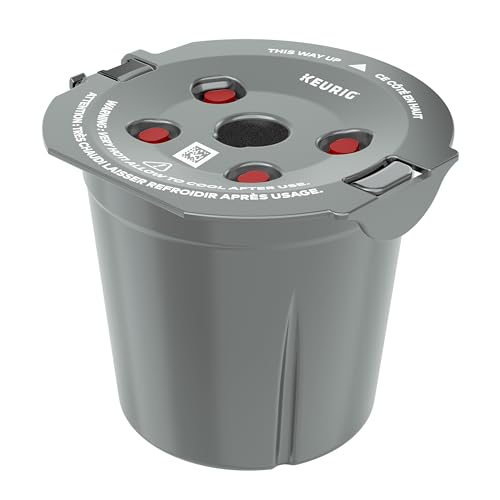
My K-Cup® Reusable Coffee Filter
- Brews with Ground Coffee: Brew a single cup with your favorite grounds
As an affiliate, we earn on qualifying purchases.
Inspect the Power Button and Switch
Press the power button firmly to turn on the device. If it doesn’t respond, check for any visible damage or stuck buttons. Make sure the power switch (if present) is in the ‘on’ position.
Reset and Power Cycle
- Unplug the Keurig from the power source.
- Wait about 30 seconds to allow internal components to reset.
- Plug it back in and press the power button to see if it turns on.
Check for Internal Faults
If your Keurig still doesn’t turn on after these steps, there might be an internal fault, such as a blown fuse or a damaged power cord. Avoid opening the device yourself; consult a professional or contact customer support for repair options.
Additional Tips and Warnings
- Always unplug the coffee maker before cleaning or inspecting for damage.
- Use only compatible replacement parts and accessories.
- Regularly descale and clean your Keurig to prevent internal issues that could affect performance.
The Products in This Guide

Keurig K-Mini Single Serve K-Cup Pod Coffee Maker
- ✔ Water Capacity: Single brew reservoir
- ✔ Power: 120V
- ✔ Weight: Less than 5 lbs

My K-Cup® Reusable Coffee Filter
- ✔ Filter Material: Plastic
- ✔ Weight: 4 oz
- ✔ Warranty: N/A
Keurig K-Mini Single Serve K-Cup Pod Coffee Maker
The Keurig K-Mini Single Serve Coffee Maker is a sleek, space-saving device that brews quickly and efficiently. Its compact design makes it ideal for small kitchens or offices, and it’s built with user safety in mind.
Pros:
- Fits in small spaces
- Brews in minutes
- Removable drip tray
- Cord storage for neatness
Cons:
- Limited to single serve
- No on/off switch
- Requires regular descaling
Best for: Small households and office spaces needing quick coffee.
Not ideal for: users looking for large capacity or programmable features.
Bottom line: A compact, efficient coffee maker perfect for small spaces.
My K-Cup® Reusable Coffee Filter
The My K-Cup Reusable Coffee Filter allows you to brew your favorite ground coffee directly in your Keurig, offering flexibility and cost savings. Easy to use and clean, it’s a valuable addition for coffee enthusiasts.
Pros:
- Brew with ground coffee
- Cost-effective
- Easy to clean
- Compatible with most Keurig models
Cons:
- Requires measuring grounds
- May slightly alter brew time
- Needs regular cleaning
Best for: Fans of customizing their coffee blends.
Not ideal for: Those preferring pre-packaged K-Cups only.
Bottom line: A practical reusable filter that maximizes your coffee options.
Frequently Asked Questions
Why won’t my Keurig K-Mini turn on?
Common reasons include power supply issues, faulty power button, or internal electrical faults. Follow the troubleshooting steps to identify the cause.
What should I do if unplugging and replugging doesn’t work?
Check the outlet with another device, inspect the power cord for damage, and consider resetting or replacing the power cord if needed.
Is it safe to open my Keurig for repairs?
No, opening the unit can be dangerous and may void warranty. Contact professional repair services or Keurig customer support.
How often should I descale my Keurig?
Descale your Keurig every 3-6 months, or more frequently if you notice mineral buildup or scale, to keep it functioning properly.
Keeping Your Keurig Alive: Quick Fixes and Tips
Most issues with a Keurig K-Mini not turning on are simple power or electrical problems that can be resolved with basic troubleshooting. Always prioritize safety, and if these steps don’t work, seek professional help. Regular maintenance like descaling and cleaning can also prevent future issues, ensuring your coffee maker remains reliable for years to come.
Affiliate disclosure: As an Amazon Associate we earn from qualifying purchases. Prices and availability are accurate as of the time of publishing.