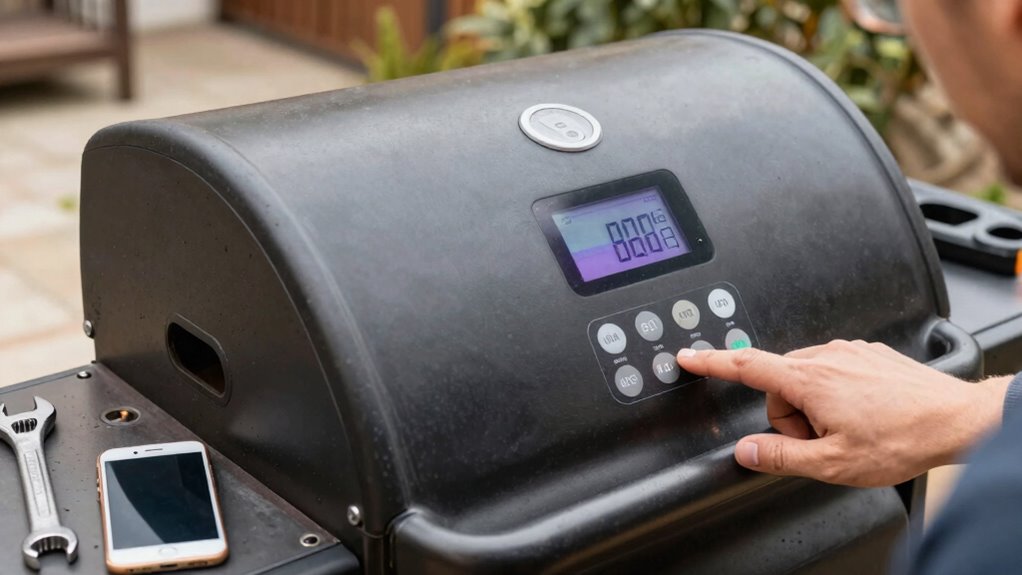
If your pellet grill app stops syncing, start by checking your device’s connection. Make sure your Wi-Fi or Bluetooth is stable, and try toggling the connection off and on. Restart both your device and the grill to clear any glitches. Inspect the grill’s modules for dirt or looseness, and verify the firmware is up-to-date. Keeping these tips in mind, you’ll find more solutions to restore sync and keep your cooking on track.

Get kitchen gear delivered free with Prime
- Fast, free delivery on millions of items
- Prime Video, Amazon Music and more included
- Member-only deals all year
Key Takeaways
- Verify the grill’s Wi-Fi or Bluetooth connection is stable and properly configured.
- Restart both the grill and your device to reset temporary communication issues.
- Update the app and grill firmware to the latest versions for compatibility fixes.
- Check for physical damage or loose components affecting signal transmission.
- Ensure the grill is placed away from electronic interference sources for optimal connectivity.
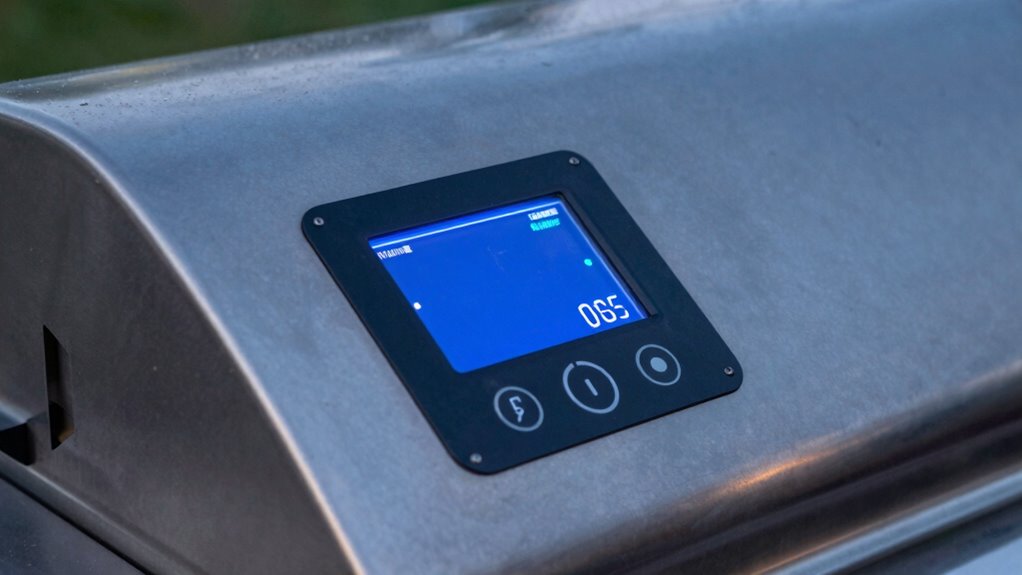
If you’re experiencing syncing issues with your pellet grill app, you’re not alone. Many grill owners encounter problems connecting their device to the app, especially when they’re enthusiastic to start cooking. First, check that your smartphone or tablet is connected to a stable Wi-Fi or Bluetooth network, depending on your grill’s connection type. A weak or intermittent connection can disrupt communication between the app and your grill, leading to syncing failures. Sometimes, simply toggling your Wi-Fi or Bluetooth off and on can resolve the issue.
Ensure your device has a stable Wi-Fi or Bluetooth connection to prevent sync issues with your pellet grill app.
Next, verify your app is updated to the latest version. Developers release updates to fix bugs and improve compatibility, so running an outdated app could be the root of your problem. If your app is current and issues persist, try restarting both your device and the grill. Powering off the grill for a few moments can reset any temporary glitches that might be blocking proper communication. Similarly, restarting your phone or tablet helps clear any background processes that could interfere with the connection.
If these steps don’t work, examine the physical connection points on your grill. Look for any loose or dirty Bluetooth or Wi-Fi modules, and clean or secure them if needed. Sometimes, debris or corrosion can interfere with signal transmission. Wireless connections can also be affected by interference sources, so it’s worth ensuring your grill is placed away from other electronic devices. Additionally, checking the signal strength of your connection can help identify if the issue is with the network itself. Ensure your grill’s firmware is up to date—most manufacturers provide instructions for updating firmware via their app or website. Updated firmware often includes fixes for known connectivity issues.
In addition to troubleshooting, consider your grill’s maintenance tips to prevent future problems. Regular cleaning of your grill’s components, especially the control panel and connection ports, can keep everything functioning smoothly. Keep the area around your grill free of dust and debris, as these can impair signal strength. Properly storing your grill indoors or in a shielded area during off-season months can also help maintain stable connections. It’s also beneficial to consult your grill’s user manual for specific troubleshooting procedures, which can provide tailored guidance.
When it comes to cooking techniques, understanding how to operate your grill without the app temporarily can be useful. Many pellet grills have manual controls that allow you to cook without app connectivity. Familiarize yourself with these controls so you can continue cooking even if the app refuses to sync. This knowledge helps you stay adaptable and avoid delays. Additionally, ensuring your grill’s connectivity options are configured correctly can improve your troubleshooting success.
Pellet grill Wi-Fi module replacement
As an affiliate, we earn on qualifying purchases.
As an affiliate, we earn on qualifying purchases.
Frequently Asked Questions
Can I Use a Different Device to Sync My Pellet Grill App?
Yes, you can use a different device to sync your pellet grill app, but make certain the new device is compatible with the app’s device requirements. Check device compatibility before switching. Also, verify app permissions on the new device, granting necessary access for proper functionality. Updating the app and ensuring a stable internet connection can also help. Once these steps are complete, you should be able to sync your pellet grill seamlessly.
Does App Syncing Affect the Grill’s Cooking Temperature?
Think of your grill and app as a dance duo—if their communication falters, the dance stalls. App syncing doesn’t directly impact your grill’s cooking temperature, but Bluetooth interference and Wi-Fi stability can cause delays or miscommunication. When these signals weaken, your app might not accurately reflect or control the temperature, risking uneven cooking. Ensuring a strong, interference-free connection helps keep your grill’s temperature steady and your cook on point.
How Do I Update the Pellet Grill App Software?
To update your pellet grill app software, start by checking for firmware updates within the app settings. Make sure your device’s Bluetooth is active, then follow prompts to download and install any available updates. If you encounter Bluetooth troubleshooting issues, restart both your device and the grill, turn Bluetooth off and on again, or remove and re-pair the devices. Keeping your app and firmware current guarantees smooth syncing and ideal grill performance.
Is There a Way to Reset App Connection Without Losing Data?
Imagine your pellet grill app suddenly disconnects during a cookout. To perform an app reset without losing data, go to your device settings, clear the app cache, or uninstall and reinstall the app. Most apps allow a reset that preserves your data, ensuring your saved recipes and settings stay intact. This method helps restore connection quickly while keeping your data safe, so you can get back to grilling without hassle.
What Is the Typical Timeframe for App Sync Issues to Resolve?
Typically, troubleshooting connectivity issues can take anywhere from a few minutes to about 15 minutes. To speed this up, restart the app following the proper procedures—close it completely and reopen it. If problems persist, try restarting your device and checking your Wi-Fi or Bluetooth connection. These steps often resolve sync issues quickly, ensuring your pellet grill and app stay in sync without much delay.
Bluetooth grill connection repair kit
As an affiliate, we earn on qualifying purchases.
As an affiliate, we earn on qualifying purchases.
Conclusion
When your pellet grill app refuses to sync, picture yourself standing by the glowing embers of a well-loved fire, patience and persistence in hand. As you troubleshoot and breathe new life into the connection, imagine the warm scent of smoked wood filling the air, signaling harmony restored. With each step, you’re reigniting not just the app, but your passion for perfect barbecue moments. Soon, your grill dances in sync, ready to create delicious memories once more.
Pellet grill firmware update tool
As an affiliate, we earn on qualifying purchases.
As an affiliate, we earn on qualifying purchases.
As an affiliate, we earn on qualifying purchases.
Evergreen bestsellers Picks
bestsellers
As an affiliate, we earn on qualifying purchases.