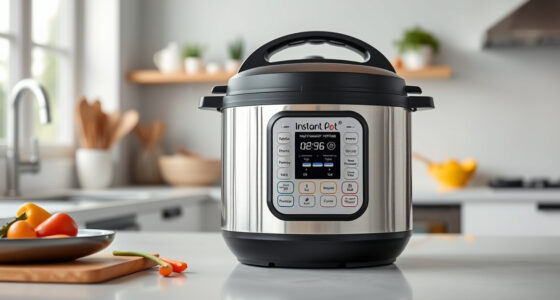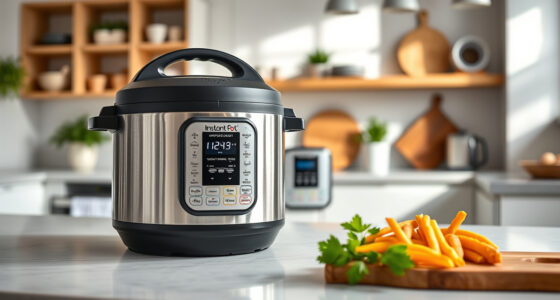

The Instant Pot is a versatile and convenient kitchen appliance, but encountering a burn error can disrupt your meal prep. This error typically occurs when the cooker detects that food or liquid is overheating or sticking to the bottom, triggering a safety shutoff. Understanding what causes this issue and how to fix it can save you time and ensure your cooking remains safe and efficient.
In this guide, we’ll walk you through the common causes of the burn error, provide practical, step-by-step instructions to fix it, and offer tips to prevent it from happening again. Whether you’re a beginner or an experienced user, these detailed troubleshooting tips will help you get back to cooking with confidence.
Key Takeaways
| Cause | Burn errors are often caused by food sticking to the bottom or insufficient liquid. |
| Immediate action | Turn off the Instant Pot and release pressure before troubleshooting. |
| Cleaning | Proper cleaning of the bottom and sealing components helps prevent recurrence. |
| Prevention | Adding enough liquid and avoiding thick, starchy ingredients can reduce burn errors. |
| Replacement parts | Using authentic sealing rings and accessories ensures proper sealing and reduces error risk. |

Instant Pot 4QT RIO Mini 7-in-1 Multi-Cooker, Pressure Cooker, Slow cook, Sauté, Steam, Rice Maker, Yogurt, & Warmer, Black, 4 Quarts
- 7-in-1 Multi-Cooker Functions: Pressure, slow, sauté, steam, rice, yogurt, warm
- Compact and Space-Saving: Mini size with same cooking surface as 8-inch pan
- Ideal for Small Meals: 4-quart capacity for up to 4 servings
As an affiliate, we earn on qualifying purchases.
Understanding the Burn Error
The burn error occurs when the Instant Pot detects that the food or liquid has overheated or is sticking to the bottom, triggering a safety shutoff. This is a protective measure to prevent damage to the cooker and ensure safety. It often appears as a message on the display, along with a warning beep.
This error can happen during any cooking mode that involves high heat and pressure, especially if there isn’t enough liquid, or if ingredients like thick sauces or starchy foods are used without proper preparation. Recognizing the causes helps in troubleshooting effectively and avoiding future disruptions.

AOZITA Steamer Basket for Instant Pot Accessories 6 qt or 8 quart - 2 Tier Stackable 18/8 Stainless Steel Mesh - Silicone Handle - Vegetable Steamer Insert, Egg Basket, Pasta Strainer,Silver
- Two-Tier Stackable Design: Cook multiple foods simultaneously
- Versatile Cooking Uses: Steam, strain, and prepare broths
- High-Quality Stainless Steel: Durable, dishwasher safe construction
As an affiliate, we earn on qualifying purchases.
Step-by-Step Fix for the Burn Error
- Turn off the Instant Pot. Press the cancel button to immediately stop cooking.
- Release pressure safely. Use the quick release method by turning the steam release handle to vent, or wait for natural release depending on your recipe and safety considerations.
- Open the lid carefully. Once pressure is fully released, open the lid and inspect the contents.
- Check for burnt or stuck food. If food is burnt or stuck to the bottom, use a silicone spatula or non-abrasive scrubber to loosen it carefully.
- Clean the bottom of the inner pot. Wash thoroughly with warm, soapy water to remove any residue that could trigger the burn error in future uses.
- Check the sealing ring and vent. Ensure the sealing ring is properly seated and the steam vent is clear of debris.
- Add more liquid if needed. Before restarting, add sufficient liquid as per your recipe to prevent dry burning.
- Restart the cooking process. Close the lid, set the cooking mode, and ensure the pressure valve is sealed correctly.
Tips to Prevent Burn Errors
- Add enough liquid. Ensure your recipe contains the recommended amount of water or broth to avoid dry burning.
- Avoid thick, starchy ingredients initially. If using potatoes, pasta, or thick sauces, consider adding them after pressure has built up, or use a natural release to prevent overpressure.
- Stir ingredients well before cooking. This helps distribute heat evenly and prevents food from sticking.
- Use authentic accessories. Replace worn seals with genuine parts like the Instant Pot Sealing Ring to maintain proper pressure and sealing.
- Regularly clean your cooker. Keep the bottom and vent clear of debris, food residues, and mineral build-up.
Additional Troubleshooting Tips
If the burn error persists after cleaning and adding enough liquid, consider these additional steps:
- Check if the bottom of the inner pot is warped or damaged. Replace if necessary.
- Ensure the sealing ring is not cracked or deformed; replace if needed.
- Test the pressure release valve for proper operation and debris blockage.
- Try cooking with a different recipe to determine if specific ingredients or settings trigger the error.
Recommended Accessories to Enhance Your Cooking
Enhance your Instant Pot experience with accessories like the AOZITA Steamer Basket. Its 2-tier, stackable design allows you to cook multiple ingredients simultaneously while keeping them separated, ideal for quick and versatile meals. Using a steamer basket can also prevent ingredients from sticking to the bottom, reducing the risk of burn errors.
The Products in This Guide

Instant Pot 4QT RIO Mini 7-in-1 Multi-Cooker
- ✔ Capacity: 4 Quarts
- ✔ Functions: 7
- ✔ Material: Stainless Steel, Plastic

AOZITA Steamer Basket
- ✔ Material: Stainless Steel
- ✔ Size: Fits 6-8 Qt
- ✔ Design: Stackable
Instant Pot 4QT RIO Mini 7-in-1 Multi-Cooker
The Instant Pot 4QT RIO Mini 7-in-1 Multi-Cooker is a versatile, space-saving device perfect for small families, singles, or students. It combines pressure cooking, slow cooking, sautéing, steaming, rice making, yogurt, and warming functions in a compact package. Its anti-spin design ensures steady stirring and sautéing, while the 4-quart capacity is ideal for up to four servings. With quick cooking times and easy cleanup, it offers excellent value for small kitchens.
Pros:
- 7-in-1 multifunctionality
- Compact and space-saving
- Easy to clean and operate
- Modern, colorful design
Cons:
- Limited capacity for larger families
- Requires careful cleaning to avoid errors
- Steaming accessories sold separately
Best for: Small households, quick meal prep, space-conscious kitchens
Not ideal for: Cooking for large groups or families, or recipes requiring large volume
Bottom line: A compact, versatile cooker ideal for small kitchens and quick meals.
AOZITA Steamer Basket
The AOZITA Steamer Basket is a versatile accessory that makes steaming vegetables, eggs, and even seafood easy and mess-free. Its 2-tier stackable design maximizes cooking space and allows you to prepare multiple dishes at once, perfect for pairing with your Instant Pot to prevent sticking and burning.
Pros:
- Two-tier, stackable design
- Made of durable stainless steel
- Fits 6 and 8-quart models
- Easy to clean
Cons:
- Additional accessory purchase
- Requires extra space in the pot
- May need careful handling when hot
Best for: Steaming, multi-ingredient cooking, maximizing space
Not ideal for: Cooking recipes that don’t benefit from steaming
Bottom line: A durable, space-efficient steamer basket that enhances your Instant Pot cooking.
Frequently Asked Questions
Why does my Instant Pot say ‘Burn’ even after cleaning?
Residual food, improper sealing, or insufficient liquid can cause the ‘Burn’ message. Ensure the bottom is clean, the sealing ring is properly seated, and enough liquid is added.
How much liquid do I need to avoid burn errors?
Typically, at least 1 to 1.5 cups of liquid is recommended, but always refer to your recipe and model instructions to ensure adequate liquid for pressure buildup.
Can I use thick sauces or starchy foods in my Instant Pot?
Yes, but it’s best to add thick or starchy ingredients after initial pressure is built, or use a natural pressure release to prevent burning.
How often should I replace the sealing ring?
Check the sealing ring regularly for cracks or deformation and replace it every 12-18 months or if you notice any odors or leaks.
What should I do if my Instant Pot continues to burn even after troubleshooting?
Ensure all parts are in good condition, clean thoroughly, and consider testing with different ingredients or recipes. If problems persist, contact customer support.
Mastering Your Instant Pot for Safe, Delicious Meals
Encountering a burn error doesn’t have to spoil your cooking experience. By understanding the common causes, following proper troubleshooting steps, and taking preventive measures, you can keep your Instant Pot running smoothly and safely. Regular maintenance, proper liquid levels, and mindful ingredient choices will help you enjoy the full benefits of this versatile appliance. Happy cooking!
Affiliate disclosure: As an Amazon Associate we earn from qualifying purchases. Prices and availability are accurate as of the time of publishing.