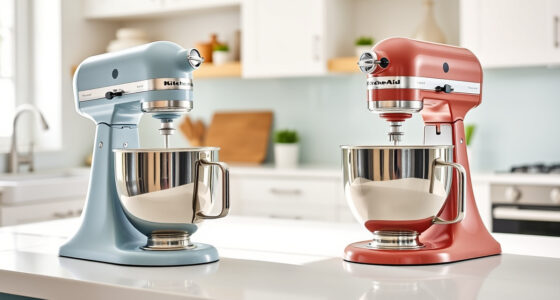
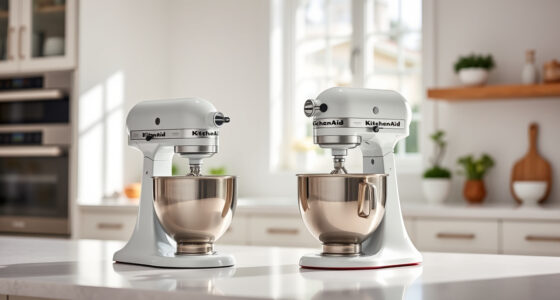
If your KitchenAid Artisan Series 5 Quart Tilt Head Stand Mixer is making a grinding noise, it can be concerning and disrupt your baking. Fortunately, many causes are simple to diagnose and fix with proper safety precautions. This guide will walk you through practical, step-by-step solutions to restore smooth operation to your mixer.

Get kitchen gear delivered free with Prime
- Fast, free delivery on millions of items
- Prime Video, Amazon Music and more included
- Member-only deals all year
Understanding common causes and applying the right fixes can save you time and prevent costly repairs. Always ensure the mixer is unplugged before inspecting or working on it.
Key Takeaways
| Common causes | Worn gears, debris, or misalignment can cause grinding sounds. |
| Safety first | Always unplug the mixer before inspecting or repairing. |
| Regular maintenance | Cleaning and checking parts regularly prevent noise issues. |
| Step-by-step fixes | Follow the instructions carefully for safe, effective repairs. |
| When to seek help | If noise persists after troubleshooting, consider professional repair. |
Identify the Source of the Grinding Noise
- Unplug the mixer from the power outlet.
- Remove the attachment and the mixing bowl.
- Inspect the gears, drive shaft, and attachment hub for debris or damage.
- Turn the mixer on briefly (with the cover removed) to listen for the noise and pinpoint its origin.
Clean and Lubricate Moving Parts
- Use a soft brush or cloth to remove dust, debris, and any food particles from the gears and drive components.
- If accessible, apply a small amount of food-grade lubricant to the gear teeth and drive shaft (check your model’s manual for recommended lubricants).
- Reassemble the parts carefully, ensuring everything is aligned properly.
Check for Worn or Damaged Gears
Examine the internal gears for signs of wear, cracks, or missing teeth. If gears are damaged, they will need replacement, which is best handled by a professional or authorized service center.
Tighten or Replace Loose Parts
- Ensure all screws and fasteners around the attachment hub and gear housing are secure.
- If you notice any loose parts, tighten them carefully.
- Replace any worn-out or broken parts using manufacturer-approved replacements.
Test the Mixer After Repairs
Reassemble all parts, plug in the mixer, and run it at various speeds to ensure the grinding noise has been resolved. If the noise persists, further inspection or professional repair may be needed.
The Products in This Guide

KitchenAid Artisan Series 5 Quart Tilt Head Stand Mixer
- ✔ Model: KSM150PS
- ✔ Power: 325 watts
- ✔ Dimensions: 14 x 8.7 x 14 inches

KitchenAid Stand Mixer Attachment
- ✔ Compatibility: All KitchenAid stand mixers
- ✔ Color: Silver
- ✔ Weight: 5 lbs
KitchenAid Artisan Series 5 Quart Tilt Head Stand Mixer
The KitchenAid Artisan Series 5 Quart Tilt Head Stand Mixer is built for consistent, thorough mixing. Its sturdy metal frame and 10-speed options make it versatile for all baking needs. If grinding noises persist despite troubleshooting, it may indicate internal wear, but regular maintenance often solves the issue.
Pros:
- Durable metal build
- 59 touchpoints for thorough mixing
- Easy tilt-head access
- Multiple color options
Cons:
- Gears can wear over time
- Requires regular cleaning
- Potential for internal damage if not maintained
Best for: Home bakers seeking a reliable, versatile stand mixer
Not ideal for: Heavy-duty commercial use or very frequent heavy mixing
Bottom line: A durable, versatile stand mixer that requires regular maintenance to prevent noise issues.
KitchenAid Stand Mixer Attachment
The KitchenAid Metal Food Grinder attachment connects easily to your stand mixer and offers multiple grinding plates for fresh, flavorful ingredients. It’s a helpful addition if you’re experiencing persistent grinding noise in your mixer that may be caused by worn internal gears, offering an alternative solution.
Pros:
- Multiple grinding plates
- Stainless steel construction
- Large food tray
- Easy to clean
Cons:
- Requires separate purchase
- Needs pre-chilling for best results
- Assembly can be a bit fiddly
Best for: Grinding meats, vegetables, or nuts with ease
Not ideal for: For light or infrequent grinding tasks
Bottom line: A durable attachment that can help address internal gear issues by reducing load on the mixer.
Frequently Asked Questions
What should I do if my KitchenAid mixer makes a grinding noise?
Unplug the mixer, inspect the gears and drive components for debris or damage, clean and lubricate if needed, and tighten any loose parts. Replace worn gears if necessary.
Can I fix internal gear wear myself?
Internal gear repair can be complex; if you suspect gear damage, it’s best to consult a professional or authorized service center for proper replacement.
How often should I clean my KitchenAid stand mixer?
Regular cleaning after each use, especially around the attachment hub and gears, helps prevent debris buildup that can cause grinding noises.
Is it safe to lubricate my mixer’s gears?
Yes, but only use food-grade lubricants recommended by the manufacturer. Avoid over-lubricating, which can attract dirt and cause more issues.
Keep Your KitchenAid Running Smoothly
Regular maintenance, careful inspection, and timely replacement of worn parts will help keep your KitchenAid stand mixer operating quietly and efficiently. If troubleshooting doesn’t resolve persistent grinding noise, professional repair is recommended to ensure safe, long-lasting performance.
Affiliate disclosure: As an Amazon Associate we earn from qualifying purchases. Prices and availability are accurate as of the time of publishing.
Halloween Picks
halloween
As an affiliate, we earn on qualifying purchases.